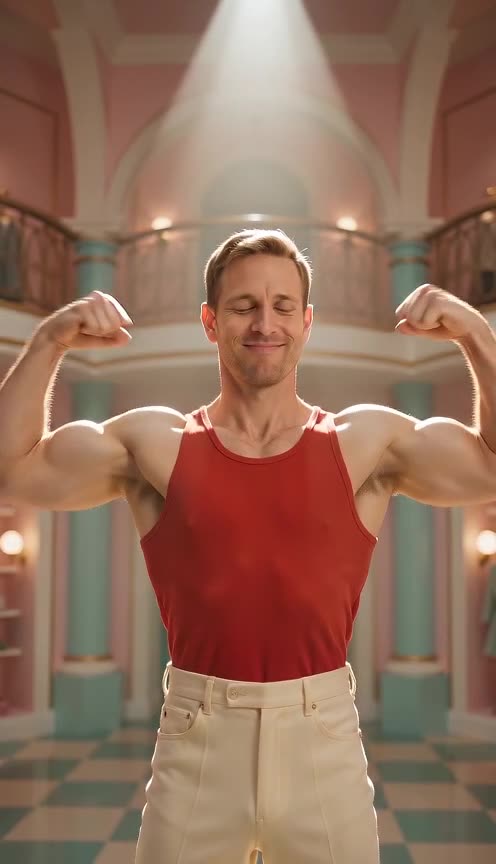
A skull cap AI video is a short generated clip of the TikTok glow-up: the person in your photo starts goofy, pulls a black knit cap on as the beat lands, then cuts to a dark room with a hood up and a cold stare. You upload one clear photo and pick a length.
- One photo and one fixed scene, so you type nothing, and the price in credits is on the button before you pay.
- The model keeps your face and invents the room, the faces you pull, the cut and a short beat of its own.
- Post it labelled as AI, made from your own photo or a consenting adult, and never from a famous face.
What is the skull cap trend?
It is a TikTok glow-up joke built on a black knit cap. According to Yahoo, which reprinted a Know Your Meme article on 27 October 2026, it took off in mid October 2026, no single originator has been named, and single posts passed ten million views. The format is always the same. A deliberately awkward opening, a cut timed to the music, then the same person in the cap with a fierce, serious face, as if the hat alone changed their whole manner. Some creators play it straight and others use it to mock the trend. A skull cap here means a thin, close-fitting cap that sits over the hair, the kind sportspeople wear under a helmet, and in the videos it is black. What this site offers is our own generated version of that format, written from a description, with no footage or sound from any creator.
- 1Goofy startBright room, a grin and silly faces
- 2The beatThe black cap is pulled on
- 3The cutOne hard cut to a dark room
- 4The stareHood up, no smile, eyes on the lens
What does a skull cap AI video look like?
It looks like two short shots joined by a hard cut. In the first, the person from your photo stands in a bright room, grins at the camera, pulls a few silly faces and holds a plain black cap low in one hand. On the beat the cap goes on and a hand sweeps across the lens, which hides the join. In the second shot the room is dark with a faint red glow, and the same person wears a plain black hoodie with the hood up over the cap and stares straight ahead without a smile. Our description asks for solid black with no logos or lettering, steady handheld framing, a single person, and a short bass beat at the cut with no singing. The size of the room, the faces they pull and how fast the cap goes on are left to the model, so every render differs a little from the last.
Written into every render
Stays the same
- A bright goofy shot, then a hard cut to a dark one
- A plain black cap and hood with no logos
- A serious stare into the lens
Left to the model
Changes each time
- The room and the faces they pull
- How quickly the cap goes on
- The strength of the red glow
How do you turn one photo into a skull cap video?
Upload one clear photo of yourself, pick a length, a quality and a frame, tick the permission box and press Generate. The button already shows the price in credits, and you sign in and pay only at that step. The AI then writes a new video: your face and hair come from the photo, while the goofy start, the cap, the cut and the hooded stare come from a description we wrote once, so there is nothing for you to type. Credits are taken once and go back automatically if the render fails or the provider refuses the photo. Only one render per account can run at a time, and you can close the tab and collect the MP4 later in My videos. Treat the first render as a test. A sharp, front-facing photo with no hat or hood on yet matters more than any setting you can change.
- 1Add one photo
One clear face, yours or an adult who agreed.
- 2Choose length and quality
The price updates as you choose.
- 3Pick the frame
9:16 for TikTok, Reels and Shorts; square and wide are there too.
- 4Tick the permission box
Not a minor, a celebrity or a public figure.
- 5Generate and download
The MP4 appears on the page and in My videos.
- Your photoThe face, hair and build of the person
- A fixed descriptionThe goofy start, the cap, the cut and the hooded stare
- The video modelByteDance Seedance, reached through the Kie.ai platform
- Generated soundA short beat made with the picture, not the trend sound
How long should the skull cap video be, and what does it cost?
Choose 5 seconds for a quick hit and 12 seconds if you want the goofy start to breathe before the cut. The short clip costs 10 credits at 480p and 22 at 720p, and the 12 second clip costs 20 and 43. Credits are the one unit on this site, and a pack of 100 credits is $6.99, with larger packs costing less per credit. The page shows an estimated wait before you pay, and you can leave while it runs. Our own test render, 12 seconds at 480p, took 125 seconds, and the other waits are estimates from our other Seedance trends. The joke is a single switch, so the short clip is often enough for a post, and the page opens on 5 seconds for that reason. Prove the photo at 480p first, then spend on length and sharpness. Compare every trend on the pricing page.
What does the AI keep from your photo in a skull cap video?
It keeps who you are and rebuilds everything around you. We ask the model to hold your face, skin tone and build faithful to the photo, and to take the room, the cap, the cut and the stare from our description, so two different people get the same kind of glow-up. Moves, framing and sound are generated, so they change on every render and no two results match. A photo with no hat or hood gives the cleanest before and after, because the cap then has hair to cover and the change reads at once. Glasses, filters, group shots and tiny faces are the usual causes of a weaker likeness, and a face that is cropped or turned away is the clearest one. If the first render misses, change the photo before you change anything else: a brighter, sharper picture fixes more than a longer video does. Keep the takes you like, since each run builds a fresh clip.
| Part of the video | Comes from | Same every time? |
|---|---|---|
| Face, hair and build | Your photo | Yes, as close as the model gets |
| Cap, hood and the hard cut | Our fixed description | Yes |
| Room, faces and glow | Our description, drawn by the model | No |
| Sound | Generated with the picture | No |
How do you post a skull cap video without misleading anyone?
Label it as AI, use only your own photo or an adult who agreed, and keep it to personal use. The gag is plainly a gag, but a clip with your face in it can still be passed around out of context, so say what it is. Photos of celebrities, public figures and minors are not allowed, and the permission box asks you to confirm it each time. Meta labels AI-generated content so viewers can tell, and a plain caption such as AI generated does the same on any feed. Choose the 9:16 frame for vertical platforms, and add the trend sound inside the app you post from if you want it, under that platform’s rules. The clip is similar to the viral trend but unofficial. For another kind of clip, try Hole in Shirt AI or browse all trends.
- 1Your own photoOr an adult who clearly agreed
- 2Watch it twiceFace, cap and the cut
- 3Label it AICaption or the platform label
- 4Add the soundIn the app, if you want it
Where do these facts come from?
- What Is The 'Skull Cap Trend'? The TikTok Glow-Up Skits And Memes About Skull Caps Explained, Yahoo Entertainment (from Know Your Meme). The format, the mid October 2026 start, no named originator and the view counts of single posts.
- Skull Cap AI: Goofy You, Then Hood Up and Cold, Kavel AI. A template vendor account of the two-shot format, the hashtags and the plain knit cap, read as a competing description and not copied.
- Labeling AI-Generated Images on Facebook, Instagram and Threads, Meta. Why a large platform labels AI-generated content, and how it detects it.
- Seedance, ByteDance Seed. The video model family the renders on this site are made with.
Make your skull cap video
Add one photo, pick a length and see the price in credits before you generate. A failed render returns its credits automatically.
Make yours