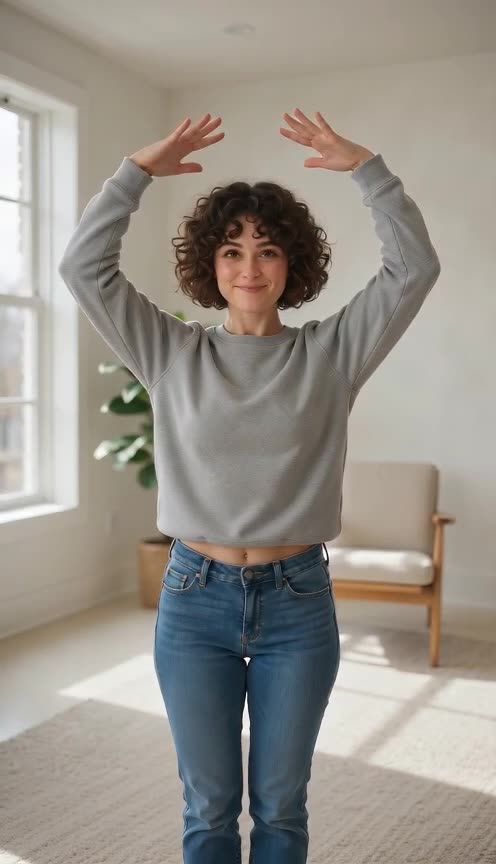
A Housewife dance AI video turns one photo into the viral routine to Tate McRae’s “Housewife”: 15 seconds of you, or of your dog or cat on its hind legs, alone in a dim living room lit blue and purple, filmed from the floor, doing the wide stance, the arms thrown up and the final pose.
- One photo, one fixed routine and nothing to type: the price in credits is on the button before you pay.
- The original dancer is only a guide for timing and camera, and the AI is told to keep him out, though it can slip.
- Only adults who agreed, or your own pet, may be in the photo; the song may be muted by a platform, and the post should say it is AI.
What is the Housewife dance trend?
It is a TikTok dance trend to “Housewife”, the lead single from Tate McRae’s fourth album, which RCA Records released on 15 October 2026 according to Wikipedia. Within five days inMusic Blog counted more than 309,000 TikTok creations on the song, from dance videos to “housewife era” lifestyle clips built around its hook about money and independence. The dance side follows one routine more than any other: a choreographer filmed himself from a phone lying on the floor in a living room lit blue and purple, and template sites such as MakeViral copy that reel. It is a short, sassy routine in a low, wide stance, with hip sways, a leg kicked out, one arm thrown high, elbows bent out to frame the body, hands on the hips, a hand flicked past the face and both hands up for the final pose. Our tool rebuilds those 15 seconds of the routine with you as the dancer.
- 1The songReleased on 15 October 2026
- 2The routineFilmed from the floor, blue-lit room
- 3The copiesDancers and template sites follow it
- 4Your photoYou dance the same 15 seconds
What does a Housewife dance AI video look like?
It looks like one continuous take from a phone lying on the floor and pointing up at you, in a dim living room lit blue and purple, with a dark TV on a low white cabinet behind you and a grey curtain to one side. You are alone in the frame and in full view from head to feet the whole time. The routine starts with a hip pop and a small hop, sinks into a wide stance with the arms swung out, kicks a leg to the side and throws one arm high. In the middle you hold a deep stance with the elbows out, roll the body with the hands at the chest and the hips, and flick a hand past your face. It ends with both hands up above your head and a hip pop. Your face, hair, build and clothes come from your photo, so the outfit you wear in it is the outfit you dance in.
Fixed in every render
Stays the same
- The blue-lit living room and the low camera
- The order and timing of every move
- One dancer, alone in the room
Taken from your photo
Changes each time
- Your face, hair and build
- The clothes and shoes in your photo
- How sharp each arm line comes out
Which Housewife moves does the AI copy, second by second?
It copies the 15 seconds of the routine that start when the dancer has walked back from the phone and the first beat lands. We wrote the timeline below from the frames of that reel, checked every half second, and the model follows a silent copy of the clip for the camera and the timing, so the moves land where the song expects them. The original reel runs past 30 seconds: we cut the first seconds, where the dancer walks back from the phone, and stop at the pose with both hands up, so you get the part people know best rather than all of it. The model is free in the small things, such as how deep your stance goes, how far a kick reaches and how high an arm goes, but it is held to the order. If a render skips a move or adds one, run it again, because each run is a new take.
| Seconds | Move |
|---|---|
| 0 to 1 | A hip pop, a small hop, a finger pointed up |
| 1 to 3 | A low wide stance, arms swung out, a side kick |
| 3 to 4.5 | One arm thrown high, a hand over the head |
| 4.5 to 7.5 | A deep stance, elbows out, back down low |
| 7.5 to 9.5 | A kick, an arm thrown up, a lean |
| 9.5 to 13 | Hands at the chest and hips, a body roll, a flick past the face |
| 13 to 15 | Both hands up framing the face, a hip pop |
Which pet photos work best for the Housewife dance AI?
A sharp photo with the whole animal in view and the face turned to the camera works best for the pet version. The AI has to stand your pet up on two legs and invent the parts it cannot see, so a photo that shows the legs, the paws and the tail gives it far less to guess. Daylight helps more than a flash, which flattens the fur and can hide markings. Dogs and cats both work, and so do other pets that stand on four legs, although a long, low body such as a dachshund or a ferret looks less natural upright. A pet curled up asleep, seen from behind or half hidden under a blanket gives the face too little to hold. One animal per photo, and no people in it: a person in the picture can be taken for the dancer. Our own tests used AI-generated photos of a corgi and a tuxedo cat, not real pets.
Helps
Use this
- The whole body, face to the camera
- Daylight, no flash
- One animal, nobody else
Hurts
Pick another
- A close-up of the face only
- Asleep, curled up or seen from behind
- Two pets, or a person holding the pet
How do you turn one photo into a Housewife dance video?
Add one photo, pick a quality, tick the permission box and press Generate. The button already shows the price in credits, and you sign in and pay only at that step. The AI then makes a new video: your face, hair and clothes come from the photo, while the room, the camera and the moves come from the reference clip and a description we wrote once, so there is nothing to type. Credits are taken once and go back automatically if the render fails or the provider refuses the photo. One render per account runs at a time, and you can close the tab and collect the MP4 later in My videos. The photo matters most: one person, standing, head to toes in view, the face sharp and turned to the camera, the arms a little away from the body. A red cap, a white tank top or wide black sweatpants can pull the AI toward the original dancer, so pick another outfit if you can.
- 1Add one photo
One person, standing, head to toes in view.
- 2Choose the quality
The price updates as you choose.
- 3Tick the box
You are an adult, or the person agreed.
- 4Generate and download
The MP4 appears on the page and in My videos.
- Your photoOne face, one outfit
- A fixed descriptionThe room, the camera and the timeline of the routine
- The reference clip and modelByteDance Seedance, reached through the Kie.ai platform
- The songThe same 15 seconds of “Housewife”, laid over the finished video
How much does a Housewife dance AI video cost?
There is one length, the full 15 seconds of the routine. It costs 70 credits at 480p and 140 at 720p. Credits are the one unit on this site: a pack of 100 credits is $6.99, and larger packs cost less per credit. The page shows an estimated wait before you pay, about 4 minutes at 480p and 7 at 720p, and you can leave while it runs. Our own 480p test renders took about 3 minutes each. The 720p time is an estimate from our other 15 second trends, which use the same model and the same kind of reference clip. Fast arm moves are where models slip most, so a blurred hand or an odd finger can happen; a second run comes out different. Try 480p first to see how your photo holds up, then pay for the sharper version. Compare every trend on the pricing page.
How do you post a Housewife dance AI video without trouble?
Label it as AI, use only a photo of yourself or of an adult who agreed, and keep it to personal sharing. The song is a commercial recording that belongs to its owners: we lay the routine’s 15 seconds over your video so it is ready to post, but a platform may still mute it, and if it does, add the sound inside that app instead. Do not use the clip in an ad or a paid post. The original routine belongs to the dancer who made it, and the model is told to show only you; if a render shows someone who is not in your photo, do not post it. Photos of celebrities, public figures and minors are not allowed, and the permission box asks you to confirm that each time. A plain caption such as AI generated tells your viewers what they are watching. For another dance from one photo, try Spin Me Round or browse all trends.
| Photo of | Allowed | Why |
|---|---|---|
| Yourself or an adult who agreed | Yes | The permission box covers it |
| Your own pet | Yes | Pick the pet version |
| A child, a celebrity or a public figure | No | Not allowed on this site |
Where do these facts come from?
- Housewife Dance AI, MakeViral. The routine most copies follow, its blue-lit floor-level look and the reel we take the timing from; its dates and view counts are its own claims.
- Housewife (Tate McRae song), Wikipedia. The release date, the label and that it is the lead single of her fourth album.
- Tate McRae’s “Housewife” Is Exploding on TikTok With More Than 309K Creations, inMusic Blog. The count of TikTok creations five days after release and the dance and lifestyle sides of the trend.
Make your Housewife dance video
Add one photo, pick a quality and see the price in credits before you generate. A failed render returns its credits automatically.
Make yours