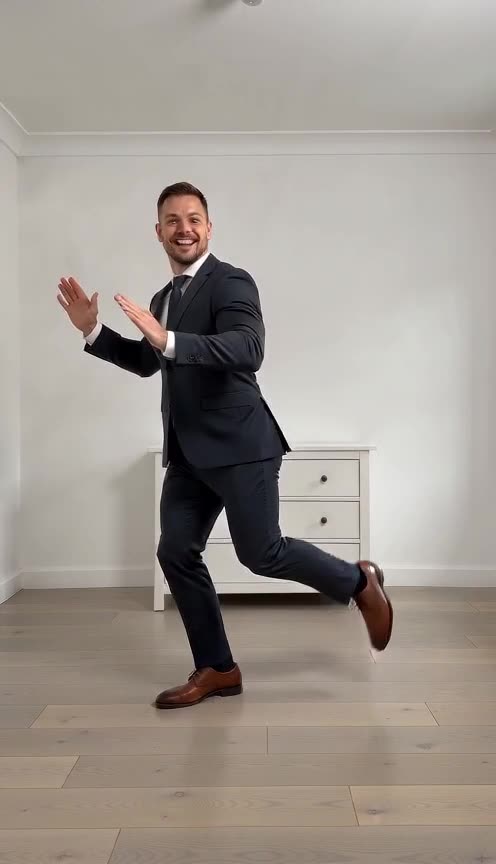
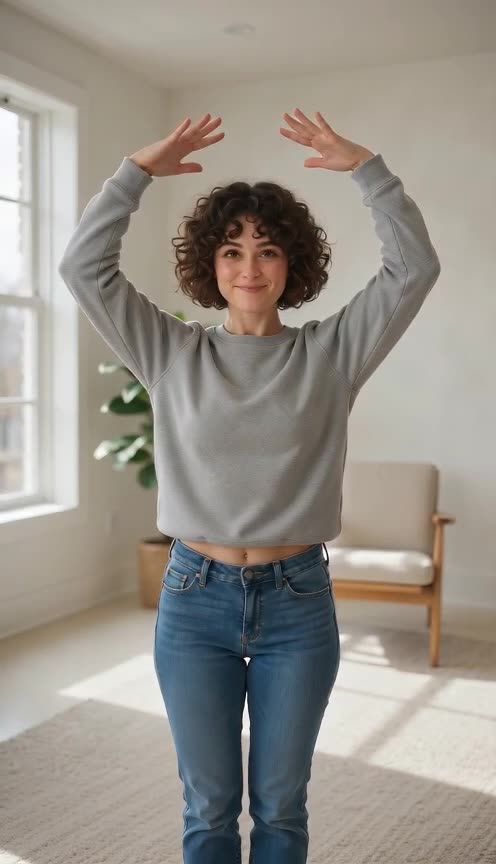
Home › Trends › Spin Me Round Dance AI
Live💃 Dance1 or 3 photos15 s

Spin Me Round Dance AI Video Generator

Put three people, or just you, in the viral Chipmunks dance: spins, finger twirls, hair flips and a run at the camera, to the sped-up You Spin Me Round.

What is it? Scroll for the guide ↓

TL;DR Spin Me Round Dance AI. Upload three photos and put three people in the Chipmunks dance, or one photo to lead it solo. You get a 15 second vertical video with spins, finger twirls, hair flips and a run at the camera to the sped-up You Spin Me Round, in about four to seven minutes.

Added Nov 3, 2026Guide updated Nov 3, 2026Made by our team, test-rendered
🔥
Post it now. Still spreading, so most people get the reference without a caption.
You + two friendsWith sound
Spin Me Round dance, example 1 · 15 s · 720p

Made with this template. An example made from three AI-generated photos of fictional adults. The sample is silent: your video gets the song.

1 or 3 photos in→15 s video out
‹
📖Guide
from70 credits

You get

  • A 15 s vertical video with sound, 480p or 720p and no watermark
  • All the faces (or pets) rebuilt inside a scene the AI invents
  • Your pick of 2 versions

Fixed by the template

  • The scene, the motion and the music follow the trend
  • You choose the version; everything else is set
  • The AI invents the details around you

Not included

  • Original footage or creator faces
  • A perfect likeness: resemblance is likely, never exact
  • Photos of minors or of public figures

How to make Spin Me Round Dance AI

1

Pick trio or solo, add the photos

One person per photo, standing, head to toes in view. In the trio, photo 1 starts in the middle, photo 2 on the left, photo 3 on the right and leads in front; solo, your photo leads.

2

We put you on the court

The AI builds the tennis court at sunset and has the three of you spin, twirl and swap places, then run up to the camera.

3

Download and post

Get a 15 second vertical MP4 for TikTok, Reels or Shorts. Label it as AI generated when you post it.

Guide · updated · 7 min read

A Spin Me Round AI video is a short generated clip of the Chipmunks dance: three people in a row on a tennis court at sunset spin, twirl a finger, flip their hair and take turns in front, to a sped-up You Spin Me Round. You upload three photos, in order, and see the price first.

  • Three photos, one per dancer, and one fixed routine, so you type nothing and the price in credits is on the button before you pay.
  • The camera and the moves follow a real viral reel, and the dancers are meant to be only the people in your photos.
  • Photo order decides who stands where, and everyone pictured must be an adult who agreed.

What is the Spin Me Round dance, also called the Chipmunks dance?

It is a trio dance that spread on TikTok in October 2026. Three friends or sisters stand in a row, spin, twirl a finger in the air, flip their hair and take turns at the front, to a sped-up, chipmunk-voice version of “You Spin Me Round (Like a Record)” by Dead or Alive. People search it as the Chipmunks dance, the Alvin and the Chipmunks dance and by the song name. A template site that sells it says it began as a Halloween idea, with trios dressed as the chipmunk girls of the cartoon films, and that the costumes then became optional; we could not check that history ourselves, so treat the dates as theirs. The moves in our version come from the frames of one reel, a fixed phone shot on a backyard tennis court, and the song is that reel’s own sped-up sound.

  1. 1The rowThree face the camera and bounce
  2. 2The swapThe one on the right takes the front
  3. 3The leadHair swings and hips sway in front
  4. 4The runsTwo dancers rush up to the lens
The shape of the routine, from the first bounce to the run at the lens.

What does a Spin Me Round AI video look like?

It looks like one continuous take from a fixed phone on a backyard tennis court at sunset, with a green court, white lines, a pink and orange sky, a hoop at the top of the frame and a tall dark hedge behind. For the first four and a half seconds the three dancers stand in a row facing the camera and bounce, wave their arms, twirl a finger and spin once. Then they rotate and the dancer from the right moves to the front, where she swings her head and hair and sways her hips for four seconds. Around the tenth second the middle dancer runs up close to the lens, laughing. The lead comes forward and spins with her hair flying, and in the last second the dancer from the left rushes up and leans into the camera. The dancers are your three people.

Our own test render at 15 seconds and 480p, from three AI-generated photos of fictional adults. The sample is silent: your video gets the song.

Taken from the reel

Stays the same

  • The tennis court, the sky and the fixed camera
  • The timing of every move and every swap
  • The sped-up song laid over the finished video
What follows the reel, and what is yours.

Which photo goes where in the three-person Spin Me Round video?

Photo 1 starts in the middle, one step in front of the others, and runs up to the camera around the tenth second. Photo 2 starts on the left and rushes up to the lens in the last second. Photo 3 starts on the right, moves to the front on the fifth second and leads the middle of the clip with the hair swings. The order matters because the model reads the photos as roles, so the first person you add is always the one in the middle, whoever it is. Each photo should show one person, standing, head to toes in view, with the face sharp and turned to the camera, because the dancers spin and the model needs the whole body to draw it. Clothes come from the photo, so wear what you want to see. We tested a mixed trio, two women and one man, and each kept their place.

PhotoStartsMoment in front
Photo 1Middle, one step forwardRuns at the lens near 10 s
Photo 2LeftRushes up in the last second
Photo 3RightLeads in front from about 5 s
Where each photo stands, and when it takes the spotlight.

Who are the other two dancers in the solo Spin Me Round video?

They are made up. Pick the solo version and add one photo, and you take the lead place on the right while two invented dancers fill the row: a young man with curly auburn hair in a cream sweatshirt and jeans who starts in the middle, and a young woman with short black hair in a black hoodie and joggers who starts on the left. We chose them to look like nobody in the viral reel and like no real person, and we dress them in plain clothes with no logos. They are there to keep the routine whole, since the dance needs three, and the model is told to keep them the same two people from the first frame to the last. You cannot choose them or swap them for friends; for friends, use the three-photo version, which is the default on this page. The price is the same either way.

Our own test render of the solo version at 15 seconds and 480p, from an AI-generated photo of a fictional adult.

Solo, one photo

You lead

  • You start on the right and take the front
  • Two invented dancers fill the row
  • Nobody else needs to agree
Solo or three photos.

How do you turn three photos into a Spin Me Round video?

Add the three photos in order, pick a quality, tick the permission box and press Generate. The button already shows the price in credits, and you sign in and pay only at that step. The AI then writes a new video: the faces, the hair and the clothes come from your photos, while the court, the camera and the moves come from the reel and a description we wrote once, so there is nothing for you to type. Credits are taken once and go back automatically if the render fails or the provider refuses a photo. Only one render per account can run at a time, and you can close the tab and collect the MP4 later in My videos. A photo in good light, facing the camera, with the whole body in view, gives the model the least to guess.

  1. 1
    Add three photos in order

    Middle, left, right: one person each, head to toes.

  2. 2
    Choose the quality

    The price updates as you choose.

  3. 3
    Tick the box

    Everyone pictured is an adult who agreed.

  4. 4
    Generate and download

    The MP4 appears on the page and in My videos.

  1. Your three photosThree faces, three outfits, in order
  2. A fixed descriptionThe court, the timeline and the cast
  3. The reference clip and modelByteDance Seedance, reached through the Kie.ai platform
  4. The songA 15 second sped-up excerpt, laid over the finished video
What goes into one render.

How much does a 15 second Spin Me Round video cost?

There is one length, the full 15 seconds, so you pay for the whole routine in one go or not at all, with no shorter cut. It costs 70 credits at 480p and 140 at 720p. Credits are the one unit on this site, and a pack of 100 credits is $6.99, with larger packs costing less per credit. The page shows an estimated wait before you pay, about 4 minutes at 480p and 7 at 720p, and you can leave while it runs. Our own test renders at 15 seconds and 480p took about 4 minutes each, and the 720p time is an estimate from our other 15 second trend. Try your photos at 480p first, since faces and hair are already clear there, then spend on sharpness. Compare every trend on the pricing page.

480p720p
15 seconds
70 credits140 credits
What the 15 second video costs, in credits.

How do you post a Spin Me Round video without misleading anyone?

Label it as AI, use only photos of yourself and adults who agreed, and keep it to personal use. A dance on a tennis court is plainly a joke, but a video with real faces in it can still be passed around out of context, so say in the caption what it is. Photos of celebrities, public figures and minors are not allowed, and the permission box asks you to confirm it each time. Meta labels AI-generated content so viewers can tell, and a plain caption such as AI generated does the same on any feed. The song is a commercial recording, so a platform may mute the video; if it does, pick a sound inside that app. For another group dance from photos, try Tiny Desk AI or browse all trends.

Photo ofAllowedWhy
Yourself or an adult who agreedYesThe permission box covers it
A petNoThe routine is written for people
A child, a celebrity or a public figureNoNot allowed on this site
Who can be in the photos.

Where do these facts come from?

  1. Chipmunks Dance AI Trend, MakeViral. How a template site describes the dance, its names, the song and the reel it copies; the dates and view counts there are its own claims.
  2. Labeling AI-Generated Images on Facebook, Instagram and Threads, Meta. Why a large platform labels AI-generated content, and how it detects it.
  3. Seedance, ByteDance Seed. The video model family the renders on this site are made with.

Make your Spin Me Round video

Add three photos in order, pick a quality and see the price in credits before you generate. A failed render returns its credits automatically.

Make yours
Questions

What is Spin Me Round Dance AI?

The Spin Me Round dance, also searched as the Chipmunks dance or the Alvin and the Chipmunks dance, is a TikTok trio dance from October 2026. Three friends or sisters stand in a row, spin, twirl a finger, flip their hair and take turns in front, to a sped-up, chipmunk-voice version of “You Spin Me Round (Like a Record)” by Dead or Alive. Template sites say it began as a Halloween idea in costume and then lost the costumes. This tool makes that dance from three photos, or from one. With three, you upload one photo per person, in order, and the AI generates a new 15 second video on a tennis court at sunset in which the three of you do the routine. With one, you are the lead dancer who starts on the right and takes the front, and the two other places are danced by made-up dancers. The camera, the timing and the moves follow the trend, and a 15 second excerpt of the sped-up song is laid over the finished video.

Why is the sample on this page silent?

We lay the song over finished videos only when you generate one. The sample is a plain test render, and we keep commercial music out of our own files. Your video comes back with the 15 second sped-up excerpt already on it.

Can I put my friends in different places?

Yes, by changing the order you add the photos. Whoever is photo 1 starts in the middle, photo 2 on the left and photo 3 on the right and in front. The places are fixed, but any three adults can fill them.

Will the dancers ever look like the people in the viral video?

They are not meant to. The description bans the original dancers’ clothes and faces and keeps the cast to your three photos from the first frame to the last, but models still slip: ours did near the end of the first test, and a lineup dressed in a white top, grey trousers or a grey hoodie drifted even with the final description, so avoid those clothes in the photos. Check the whole video before you post, do not post it if someone who is not in your photos appears, and tell us through support.

Is the Spin Me Round dance the same as the Chipmunks dance?

Yes. People search it under both names, and as the Alvin and the Chipmunks dance, so there is one page for it, with a trio and a solo version. The video is the same either way: three dancers on a tennis court, spins, hair flips and a run at the camera.

Does the video have the original song on it?

Yes. A 15 second excerpt of the sped-up, chipmunk-voice version of “You Spin Me Round (Like a Record)” by Dead or Alive is laid over the finished picture, for personal sharing only. The recording remains subject to the rights of its owners, and a platform may mute a video that carries it; if it does, pick a sound from that platform instead.

Do I need three photos, or can I use fewer?

The trio takes three, one per dancer. For one person, pick the solo version on this page: you lead, and the other two places are danced by made-up dancers. There is no two-person version: in our tests the two-photo cast kept pulling a dancer from the original video into the clip.

Are the dancers from the original videos in my clip?

They are not meant to be. The original video is only used for the camera, the timing and the moves. The three dancers in your clip are meant to be the people in your photos. The AI is told to show only the people in your photos, but it can occasionally slip, so check the whole video before you post it, and do not post it if someone who is not in your photos appears.

Is this an official Alvin and the Chipmunks or Dead or Alive product?

No. This is an independent fan tool. It is not affiliated with or endorsed by Dead or Alive, the owners of Alvin and the Chipmunks, TikTok or the creators of the viral videos.

Can I use photos of children or celebrities?

No. Only use photos of yourself and of adults who clearly agreed. Photos of minors, celebrities and other public figures are not allowed.

How much does it cost?

You buy credits: 100 credits for $6.99, 300 credits for $17.99, 1000 credits for $46.99. What a video costs depends on the trend, its length and its quality: for Spin Me Round Dance AI, 15 seconds is 70 credits at 480p or 140 at 720p. It is a one-time purchase, not a subscription, and credits never expire. They work on every trend.

Is there a free version?

No. Every video uses real GPU time, so videos are paid with credits. If a video fails to render, the credits are returned automatically.

What if my video fails?

If a render fails or the photos are rejected by the AI safety filter, the credits for that video go back to your balance automatically.

Are failed renders refunded as money?

A failed render returns its credits to your balance automatically, so you can try again. Credits are not cash. A credit pack can be refunded in full within 7 days of purchase if none of its credits have been used. See the Refund Policy.

Can I use someone else's photo?

Only use photos of yourself or of adults who agreed to be in the video. Photos of minors, celebrities and other public figures are not allowed. You confirm this before every render. The full list is in the Acceptable Use Policy.

How long do you keep my photos and videos?

Uploaded photos are deleted automatically after 7 days and finished videos after 30 days. Your photos are sent to our AI video provider only to make your video, and we do not use them to train AI models. Details are in the Privacy Policy.

Can I upload a reference video or copy a specific TikTok video?

No. Each trend works from your photos and a fixed, tested template. You choose the trend, the length and the format, but you cannot upload a reference video or change the shots and their timing. If you need an exact copy of one particular clip, this is not the right tool.

Can I use the video commercially?

The videos are for personal, non-commercial use, such as sharing with friends or posting on your own social accounts. Label them as AI generated when you share them.

Is this an official app?

No. Lulzly is an independent AI video tool. It is not affiliated with TikTok, CapCut, ByteDance or the creators of any trend.

More trends

See all →

Unofficial fan tool. Not affiliated with or endorsed by Dead or Alive, the owners of Alvin and the Chipmunks, TikTok or the creators of the viral videos. The dancers in your video are meant to be the people in your photos. Clips are labelled “AI-generated”.